> For the complete documentation index, see [llms.txt](https://docs.tip4serv.com/llms.txt). Markdown versions of documentation pages are available by appending `.md` to page URLs; this page is available as [Markdown](https://docs.tip4serv.com/payments/paypal-v2.md).
# Paypal V2
Offer several payment methods to your customers
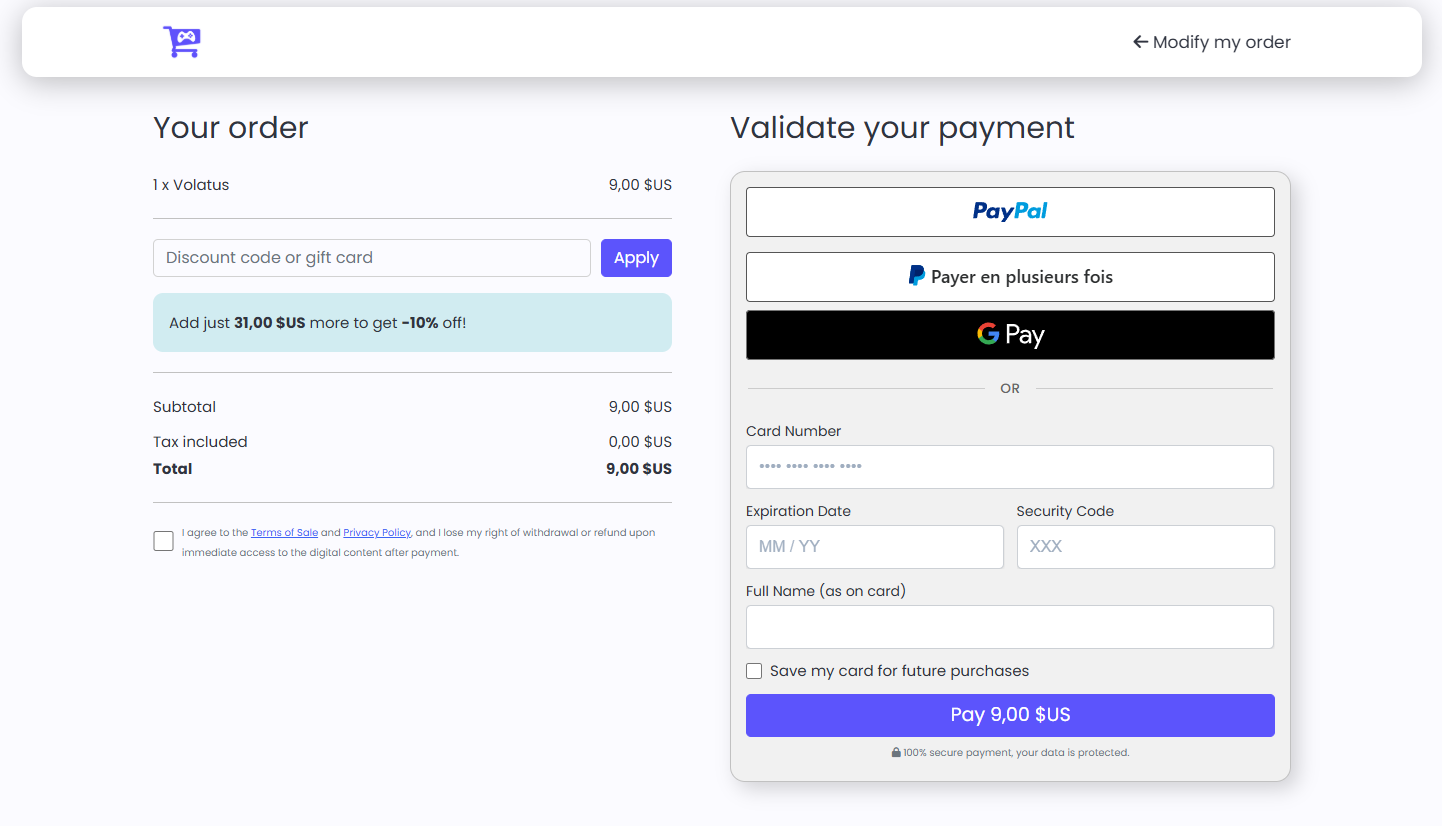
Switch to Paypal V2 display a credit card payment form as well as several payment methods.
Checkout screenshot
### Paypal Business account required
To be able to use Paypal Checkout V2, you must have a Paypal Business account, you must switch your individual Paypal account to Business.
The change is done in a few minutes and does not charge any additional fees.
To switch your account to Business, just follow the steps in [MY GATEWAY](https://tip4serv.com/dashboard/my-gateway).
{% hint style="info" %}
You will be asked to provide your c**ompany registration number** depending on the country you live in.
{% endhint %}
### Several payments method
Here are the payment methods offered by Paypal Checkout V2:
Credit card, Paypal, BLIK, Mercado Pago, MyBank, Venmo, iDEAL, Bancontact, EPS, Giropay, Przelewy24, Sofort.
{% hint style="info" %}
Payment methods will appear automatically based on the visitor's location.
{% endhint %}
This example shows what a Dutch visitor sees
### Credit card form
Your customers do not leave the checkout page and are not directed to Paypal, they enter their credit card information directly into a form.