> For the complete documentation index, see [llms.txt](https://docs.tip4serv.com/llms.txt). Markdown versions of documentation pages are available by appending `.md` to page URLs; this page is available as [Markdown](https://docs.tip4serv.com/promotions-and-marketing/loyalty-points.md).
# Loyalty Points
Fidelise your customers with loyalty points
Loyalty points are an extremely powerful tool to fidelise your customers. That's why we encourage you to set up a loyalty points system.
To do this, go to the [LOYALTY POINTS ](https://ultradusteradmin.tip4serv.com/dashboard/loyalty-points)administration page.
### 1. Create your loyalty points
We'll start by creating the loyalty points. They won't do anything yet, but we will set up the basic settings about our loyalty points, like the name of the loyalty points, the minimum amount and points expiration. Click **Save loyalty settings** in order to save your loyalty points
Screenshot of the loyalty point administration page
### 2. Setting up the rules
Now that we have created our loyalty points, we'll have to define their usages. Start by clicking the **Create loyalty rule** button.A modal will appear which will allow you to define all the necessary rules related to your loyalty points.
We'll go through each option. The first one is the name, which is self-explanatory. The second and the third are the trickiest. The Reward Ratio defines how many loyalty points you get per purchased currency. By currency, we mean the selected currency. For example, if you selected US Dollar as your currency and you've set up your reward ratio to 20, every $ spent on your store will give 20 loyalty points to your customers. As for the purchase ratio, this one describes the situation the other way around. For example, in this example, if I've set up the purchase ratio to 100, the customer can spend 100 loyalty points instead of $1. As for the last options, they describe which products/categories are concerned by this loyalty rule. Press **Create** to save the loyalty rule.
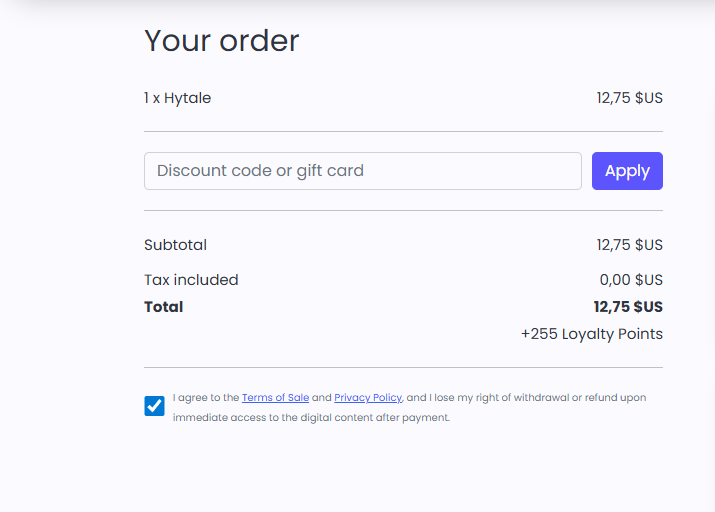
When purchasing a product eligible for your loyalty rule, in the checkout they will see the number of loyalty points they receive for this purchase.
If your customers possess a certain amount which allows them to pay their cart with their loyalty points, a message will appear allowing them to pursue the transaction with loyalty points.
### Manage Loyalty Points
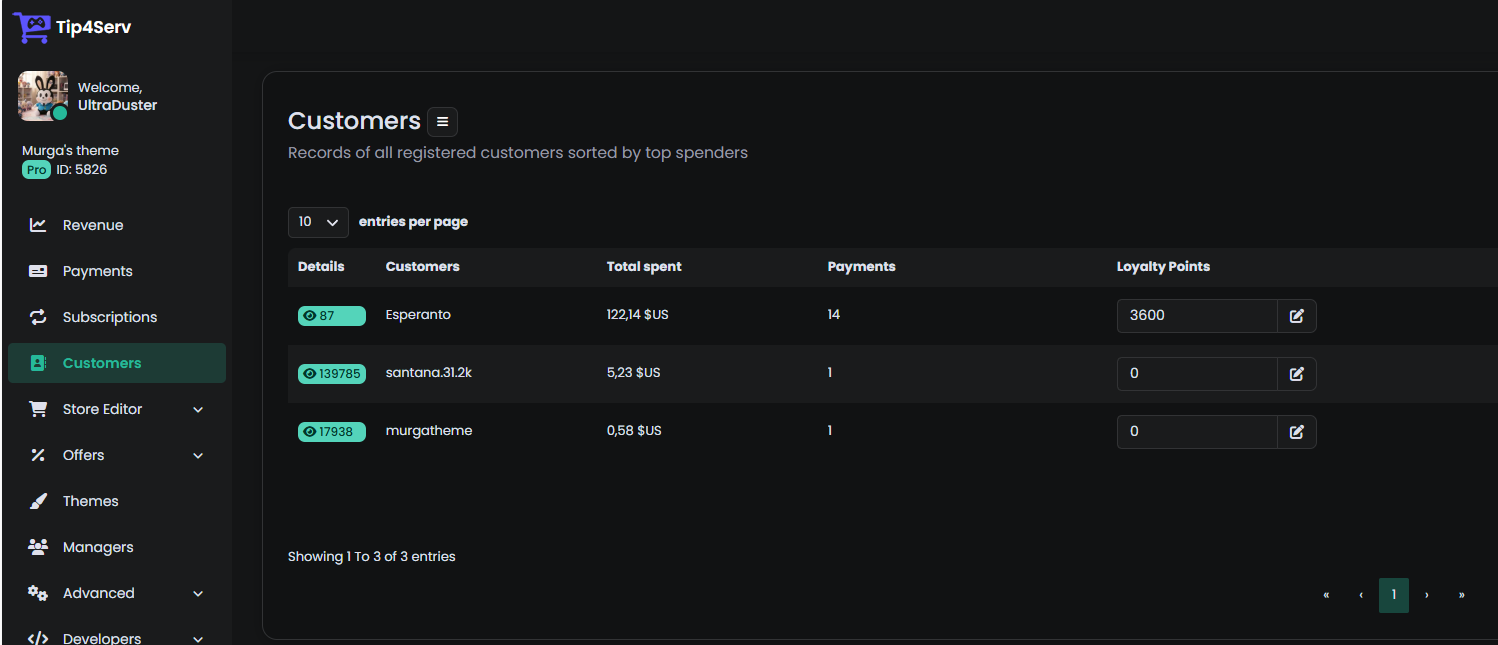
You can also manage the loyalty points of your users. You can remove or add loyalty points for any of your users directly from the [Customers](https://tip4serv.com/dashboard/customers) page.