> For the complete documentation index, see [llms.txt](https://docs.tip4serv.com/llms.txt). Markdown versions of documentation pages are available by appending `.md` to page URLs; this page is available as [Markdown](https://docs.tip4serv.com/server-commands.md).
# Server commands
Configure the commands that will be executed on your servers or Discord after each purchase
## 1. My products
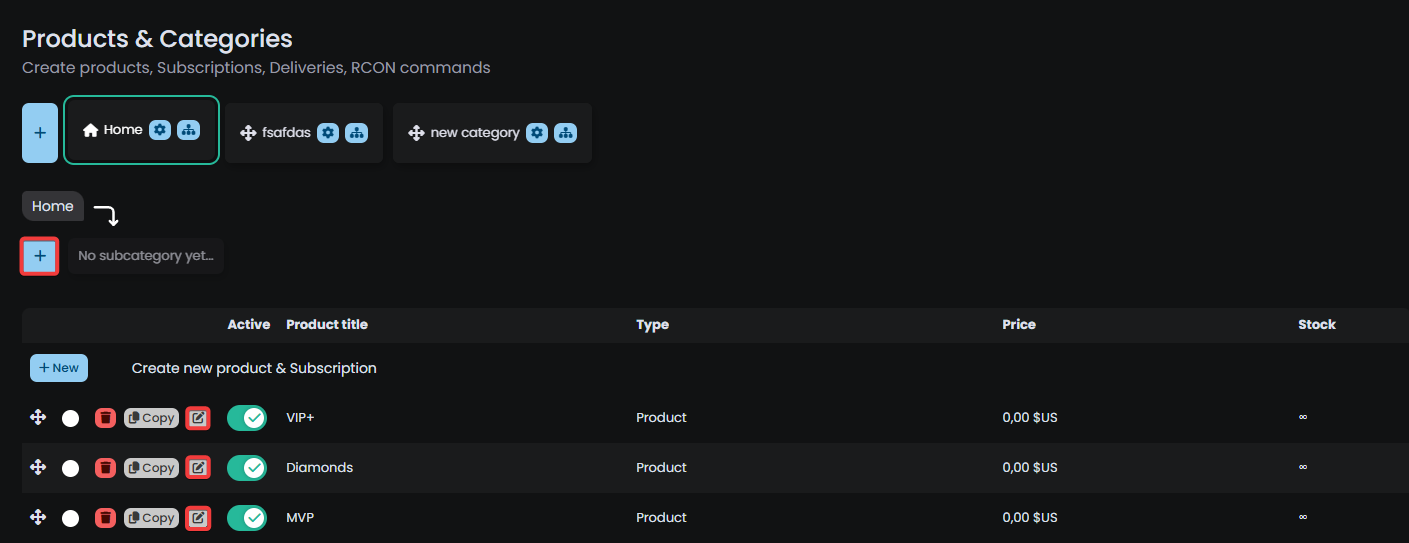
Go to [MY PRODUCTS](https://tip4serv.com/dashboard/my-products) and **ADD** or **EDIT** a product
Screenshot from My Products
## 2. Product editor
Scroll down the product editor and click on **Add Discord or game server** button and click on a server
## 3. Commands editor
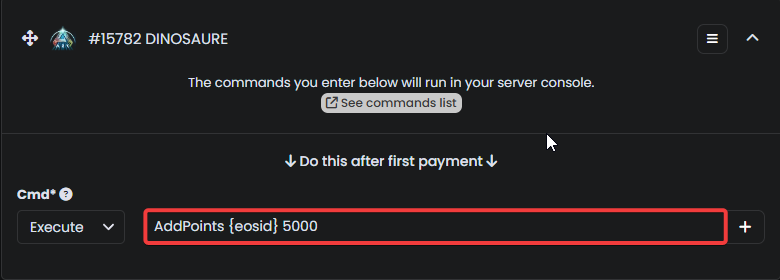
**For a game server:** Enter the commands that should run on your server.
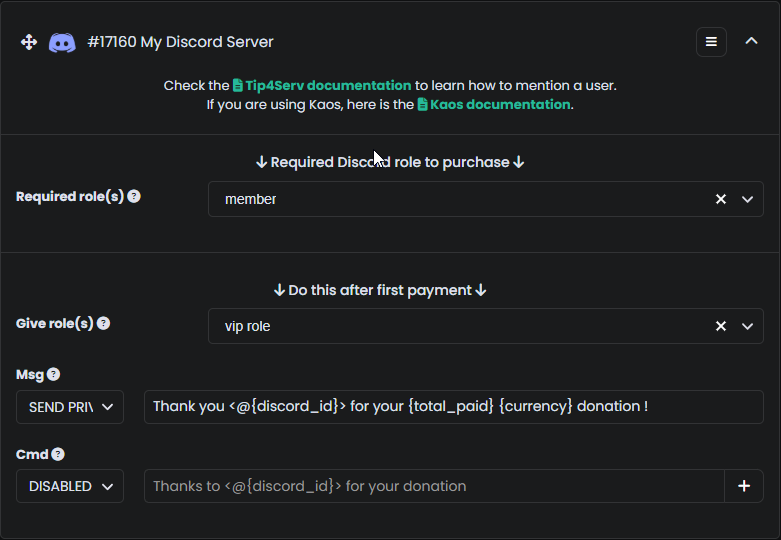
**For a Discord server:** Choose the roles to give and enter a private message or disable it. You can also add a channel message. You can also require a certain discord role, to allow a purchase.
Give a role and send a private message.
Setting a required role to proceed to the purchase.
{% hint style="info" %}
Learn more about [how to mention a member in a channel ?](/discord-setup/mention-members.md)
{% endhint %}